
Google stopped using the meta keywords tag as a ranking signal back in 2009, yet people still search for “meta description keywords” every month looking for a shortcut that no longer exists. There’s a real question hiding inside that confusion though: how do keywords inside the meta description tag actually behave in search results today?
The answer isn’t about stuffing phrases into a tag. It’s about writing a snippet that Google will actually use, bolds the right terms when they match a query, and earns the click. That’s the version of this topic worth your time.
Meta Keywords vs. Meta Description: Clearing Up the Confusion
These are two different tags, and mixing them up wastes effort. The <meta name="keywords"> tag let you list target phrases in the <head> of a page. Google officially confirmed it does not use this tag for ranking or snippet generation, and hasn’t for over a decade.
The meta description tag is different. It’s the summary text that can appear under your title link in search results. Google doesn’t use it to rank pages either, but it directly affects whether someone clicks once your page already ranks. That distinction matters more than most checklists admit.
So when someone types “meta description keywords,” they’re usually hunting for one of two things: either leftover advice about the dead keywords tag, or guidance on how to place keywords inside a description so Google bolds them and the snippet reads well. This article covers the second, because it’s the one that still moves the needle.
If you want the full walkthrough on writing descriptions that get clicks, that’s a separate deep dive. Here, the focus stays narrow: how keywords function inside this one tag.
How Google Actually Uses Keywords in a Meta Description
Google pulls bold text in a snippet from whatever matches the user’s search query, not from your meta tag verbatim. Write a description containing “affordable dog grooming in Austin” and search “dog grooming Austin,” and you’ll likely see those words bolded in the result.
But Google frequently rewrites the snippet entirely. It often pulls text from your page body instead of your meta tag, especially when the written description doesn’t match the query intent well. A 2021 Google Search Central blog post on title and snippet generation noted this happens for a meaningful share of pages, though Google hasn’t published an exact current rewrite rate.
Here’s the practical implication: your job isn’t to cram keywords in. It’s to write a description that answers the likely query clearly enough that Google prefers your version over its own extraction. Natural phrasing that mirrors real search language works better than mechanical keyword placement.
Character Counts That Affect Whether Keywords Even Show
Google typically displays around 105-120 characters on desktop before truncating with an ellipsis, though the real limit is pixel-based, not character-based. Wide letters like “W” or “M” eat more pixel width than narrow ones like “i” or “l”. Mobile truncates sooner, often near 120 characters depending on device width.
This matters for keyword placement specifically: if your target phrase sits past the cutoff point, it never displays, never gets bolded, and does nothing for your click-through rate.
Before: “Our company offers a wide variety of professional landscaping services including mowing, trimming, edging, mulching, and seasonal cleanup for residential and commercial properties” (158 characters, truncates mid-sentence, target phrase “landscaping services Denver” never appears).
After: “Landscaping services in Denver: mowing, mulching, seasonal cleanup. Free quotes, licensed crews, same-week scheduling.” (118 characters, keyword phrase sits in the first 30 characters where it always displays).
Check this yourself with a quick search for your own page’s target query. If your description shows a different, auto-generated snippet, your written version got rejected, usually a relevance or length problem.
Placing a Keyword Where It Actually Gets Bolded
Position inside the tag matters less than matching real query phrasing, but front-loading still helps on mobile where truncation is aggressive. A keyword buried at character 140 is wasted on a phone screen that cuts off at 120.
Write the phrase the way someone would type it into Google, not the way a brand style guide would phrase it. “Best running shoes for flat feet” beats “premier footwear solutions engineered for pronation support” every time, because it mirrors the query, and because plain language simply reads better in a results snippet.
One more detail worth checking: Google sometimes bolds synonyms and related terms too, not just exact matches. A query for “cheap flights” can trigger bolding on “affordable” or “budget” in a snippet, because Google’s bolding logic responds to semantic relevance, not strict string matching. That gives you room to write naturally instead of repeating one exact phrase twice in 150 characters.
For the full mechanics of writing and testing these tags across a site, the breakdown in how to optimize meta descriptions properly goes further into per-template automation and bulk auditing.
Common Mistakes That Waste the Keyword Opportunity
Most of the failures here are structural, not strategic. Getting the mechanics wrong costs you the slot even when the keyword choice itself was sound.
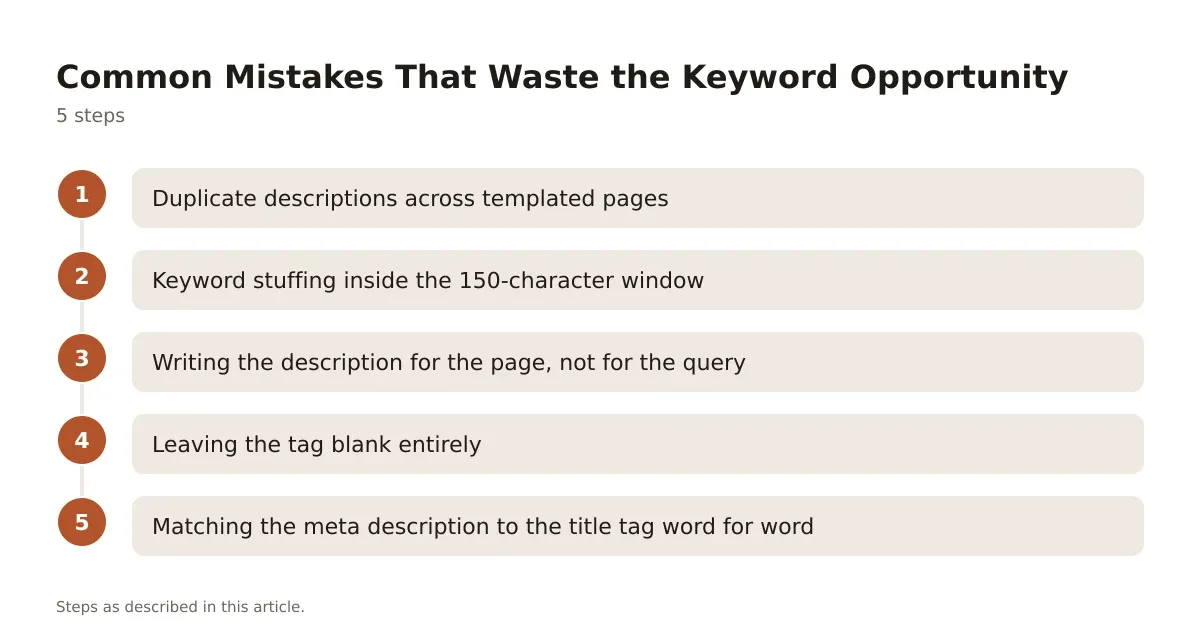
- Duplicate descriptions across templated pages. A product catalog that auto-generates the same description for every SKU gives Google nothing to differentiate, and it often rewrites all of them identically, which defeats the purpose entirely.
- Keyword stuffing inside the 150-character window. Repeating a phrase three times inside one description reads as spam to a human, and it doesn’t increase bolding frequency, since Google bolds the first strong match it finds.
- Writing the description for the page, not for the query. A product page written like ad copy (“Shop our exclusive collection!”) ignores what the searcher actually typed, so Google has less reason to use your text as-is.
- Leaving the tag blank entirely. Google then builds a snippet from the page, often the first sentence of body content, which rarely reads as compelling or keyword-targeted.
- Matching the meta description to the title tag word for word. This wastes screen space; the two elements should say different things, not repeat each other.
Fixing these is mostly a discipline problem. Templates need unique variables (city name, product attribute, category), not a single static string copy-pasted across hundreds of URLs.
Checking Your Meta Description Keywords on a Live Page
You don’t need a paid crawler to verify this. Open the page’s HTML source (right-click, “View Page Source,” or Ctrl+U / Cmd+U), then search for name="description". Copy the content attribute’s text and count the characters, any plain text counter works.

Next, search Google for the exact query you’re targeting and look at how your listing actually renders. If the live snippet matches your written tag, Google accepted it. If it shows different text pulled from your page body or elsewhere, that’s a signal your written version didn’t match intent well enough, or ran into the rewrite behavior Google documented.
Google Search Console won’t show you snippet text directly, but it does show the queries driving clicks and impressions for a page, useful for checking whether your keyword choice lines up with what people actually search. A low click-through rate on a high-impression page, despite good average position, often points to a weak or mismatched description worth rewriting.
Browser extensions built for SERP preview, and tools like Screaming Frog, can also pull every meta description across a site into one spreadsheet, handy for spotting duplicates at scale rather than page by page.
What WordPress Users Still Get Wrong About This Tag
A lot of lingering confusion traces back to WordPress SEO plugins. Both Yoast SEO and Rank Math still include an optional “meta keywords” field in their settings, left over from an era when the tag mattered, mostly kept for legacy compatibility with a handful of smaller search engines that never fully abandoned it.
Filling that field does nothing for Google rankings or snippets. If you’re spending time optimizing a “focus keyword” setting inside these plugins expecting it to populate a meta keywords tag Google reads, that effort is going nowhere. What those plugins’ focus keyword fields actually do is feed their own on-page content analysis (readability, keyword placement in headings, density checks), not generate a tag Google consumes.
Where WordPress users should spend the time instead: writing a unique, hand-crafted meta description field for every important page template, not relying on auto-generated excerpts. Yoast and Rank Math both let you insert dynamic variables (category name, post title, custom field) into description templates, which solves the duplicate-content problem across large sites without manual editing of every single URL. For a broader look at which meta tags Google actually reads versus which ones are decorative, this breakdown of on-page meta tags covers the full list site owners tend to misjudge.
Getting the Keyword Strategy Right Without Overthinking It
Treat the meta description as ad copy for a result you’ve already earned through ranking, not as a ranking lever itself. The keyword’s job inside that copy is to prove relevance fast, match how people actually phrase the search, and fit inside the pixel window before truncation cuts it off.
Skip the instinct to copy a formula across every page on a site. Templated, identical-sounding descriptions get flagged by Google’s rewrite system just as often as blank ones do, because neither gives a unique signal of relevance. Write each one like you’re answering the specific question that page solves, in the words a real searcher would use.
If you manage this across dozens or hundreds of URLs, build the keyword variation into the template logic itself, dynamic fields pulling from page title, category, or product attribute, rather than trying to hand-write every single one. That’s the only version of “keyword optimization” for this tag that scales without turning into spam.
Frequently asked questions
Do meta description keywords affect Google rankings?
No. Google has confirmed repeatedly that the meta description tag is not a ranking factor. It can influence click-through rate once a page already ranks, which indirectly affects performance, but it doesn’t change where a page sits in results.
Is the meta keywords tag still worth filling in for SEO plugins?
Not for Google. Some smaller or regional search engines may still reference it, but for the vast majority of organic traffic, time spent on that field would do more good spent writing a sharper meta description instead.
Why does Google show a different snippet than the one I wrote?
Google rewrites descriptions when it judges the written tag doesn’t match the query well, when it’s duplicated across pages, or when it’s missing entirely. In those cases it pulls text from the page body, sometimes the first readable paragraph, sometimes a snippet near an on-page heading that matches the query.
How many keywords should I put in a meta description?
There’s no fixed count. Focus on one primary phrase that mirrors real search language, placed naturally, rather than multiple keywords crammed into 150 characters. Forced repetition reads as spam and doesn’t increase the odds of bolding.
Can I use the same meta description on multiple pages?
You can, but it usually backfires. Duplicate descriptions give Google no reason to trust your written text as the best summary for any single page, which raises the odds it gets replaced with an auto-generated snippet on some or all of them.




Leave a Reply