
You hired someone to audit your site, and they sent back a 60-page PDF full of red warnings. Half the items look urgent. None of them say what to fix first or what it will cost you in effort.
A useful audit report fixes that. Below is a sample layout, section by section, with real findings, thresholds from Google’s own documentation, and the order I would work through the fixes. Use it to judge a report you received or to build your own.
What an SEO Audit Report Should Actually Show
A good report answers three questions: what is broken, how bad is it, and what do I do first. Anything that only lists errors fails the second and third.
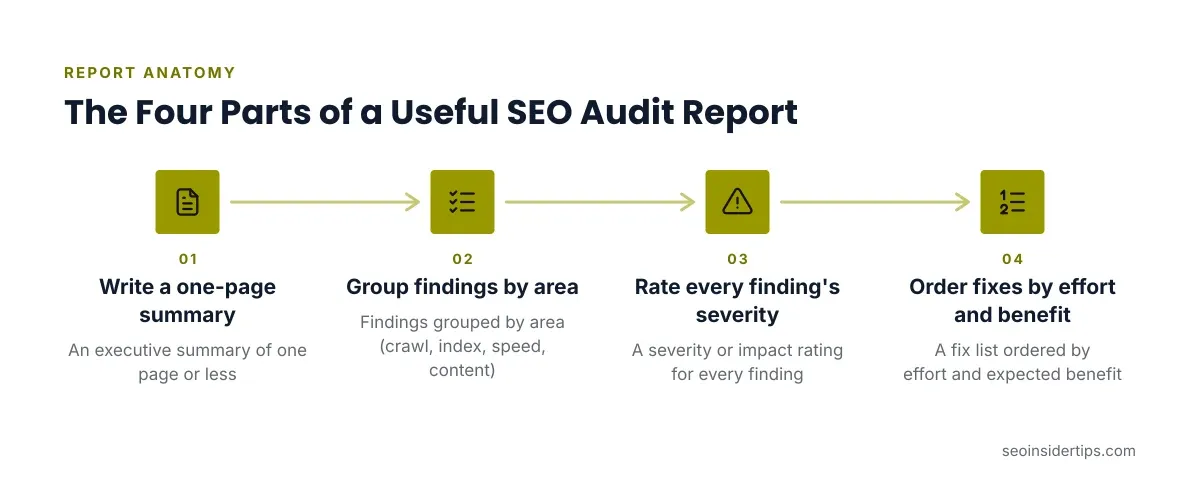
Check any report you receive for four parts:
- An executive summary of one page or less.
- Findings grouped by area (crawl, index, speed, content).
- A severity or impact rating for every finding.
- A fix list ordered by effort and expected benefit.
If a report is just a tool export with the logo swapped, push back. Raw crawler output is data, not analysis. The person who wrote it should have opened the URLs and confirmed the problem is real.
Sample Executive Summary
The summary is the only page many clients read, so write it for a busy owner.
Here is a short sample for a fictional 400-page service site:
Overall: The site is crawlable and mostly indexed, but 38 of 400 pages are excluded as “Crawled – currently not indexed,” and mobile pages load slowly.
Top three fixes: (1) Remove the accidental
noindexon the /services/ folder. (2) Compress hero images, which average 1.8 MB. (3) Replace 41 internal links that point to redirected URLs.What we did not check: backlink quality and paid search.
Notice the last line. A good report states its limits. It also names the top fixes in plain words instead of burying them on page 40.
Crawl and Indexing Findings
Crawl and index problems come first because nothing else matters if Google cannot reach or store your pages.
Start in Google Search Console, then open Indexing > Pages. This report lists indexed URLs and the reasons others were left out. In the sample, the findings table might look like this:
| Finding | URLs affected | Severity | Effort |
|---|---|---|---|
Excluded by noindex tag | 22 | High | Low |
| Crawled, currently not indexed | 38 | Medium | High |
| Redirect error | 6 | High | Low |
| Soft 404 | 9 | Medium | Medium |
Each row needs a real example URL in the report. “Soft 404” means the page returns a 200 status but looks empty or like an error to Google. Often a thin category page or an out-of-stock product causes it.
A common mistake here is trusting a crawler alone. Tools like Screaming Frog show what they can fetch, not what Google chose to index. Always compare the two.
Robots.txt and Sitemap Checks
Robots.txt controls what crawlers may fetch, and one wrong line can hide a whole section. This is the first risky file in any audit, so warn the client before touching it.
A broken line often looks like this:
User-agent: *
Disallow: /services/
Sitemap: https://example.com/sitemap.xml
That Disallow blocks every URL under /services/ from crawling. If the owner meant to block only /services/internal/, the fix is narrower:
User-agent: *
Disallow: /services/internal/
Sitemap: https://example.com/sitemap.xml
The corrected file blocks only the private folder and leaves the public service pages crawlable.
Note the difference between blocking and noindexing. Per Google’s robots.txt documentation, a blocked page can still appear in results if other sites link to it. To keep a page out of the index, use a noindex tag and leave it crawlable so Google can read the tag.
For sitemaps, the report should confirm the file lists only canonical, indexable, 200-status URLs. Google’s limit is 50,000 URLs or 50 MB uncompressed per sitemap file. Test yours in Search Console > Indexing > Sitemaps.
On-Page Findings With Real Examples
On-page problems are the easiest wins, so the report should list exact URLs and exact text.
A weak finding says, “Some title tags are too long.” A usable finding says:
/services/plumbing/has the title “Plumbing Services | Home | Best Plumber in Town | Call Us Today | Free Quotes,” which Google will likely rewrite./blog/leak-repair/and/blog/pipe-leaks/both target the same query and compete.- 14 product pages share an identical meta description.
Google has no official character limit for titles. Titles get truncated by pixel width, and Google may rewrite them anyway. So the fix is a clear, descriptive title that leads with the topic, not a character count.
For cannibalization, check Search Console > Performance and filter by query. If two URLs split impressions for one term, merge them or differentiate their intent.
Page Speed and Core Web Vitals Findings
Slow pages cost you visitors before they read a word, so speed gets its own section with measured numbers.
Pull data from PageSpeed Insights and the Core Web Vitals report in Search Console. Google’s published thresholds for a “good” result are:
- LCP (Largest Contentful Paint): 2.5 seconds or less
- INP (Interaction to Next Paint): 200 milliseconds or less
- CLS (Cumulative Layout Shift): 0.1 or less
These are measured at the 75th percentile of real visits, per web.dev. A sample finding: “Mobile LCP is 4.1 seconds on /services/. The cause is a 1.8 MB hero image served as PNG.”
The fix is usually in order of effort: convert to WebP, add width and height attributes, then lazy-load below-the-fold images. A mid-level developer can do the first two in an afternoon. A report that names the exact image and the exact cause is worth far more than one that says “improve speed.”
Comparison: Tool Export vs. Human-Written Audit
Two kinds of report land in your inbox, and they are not equal.
Option A: Automated tool export
Tools such as Semrush Site Audit or Screaming Frog produce these in minutes. They are good at scale: finding 404s, missing titles, and redirect chains across thousands of URLs. They are poor at judgment. A tool will flag a deliberate noindex thank-you page as an error, and it cannot tell you which of 300 warnings matters.
This option suits a quick health check or a recurring monthly scan. It does not suit a client who needs priorities.
Option B: Human-written audit
A practitioner reads the export, checks Search Console, opens the real pages, and ranks problems by impact. It takes days, not minutes, and costs accordingly. The strength is context: knowing that a redirect chain on a high-traffic page matters more than 200 on dead archive URLs.
For a small site, a tool export plus your own review is often enough. For a site with revenue at stake or a recent traffic drop, pay for the human version. For a free starting point, see our free SEO audit tools for beginners.
How to Prioritize Fixes in the Report
A fix list sorted by effort and impact turns a long report into a plan. Without it, clients fix the easy cosmetic items and ignore the one that blocks indexing.
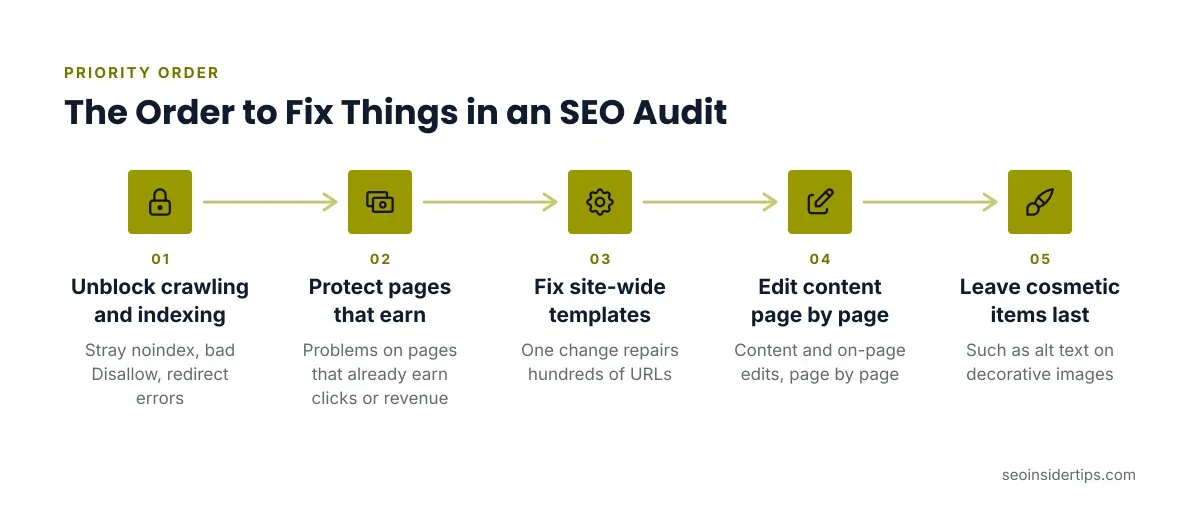
Use this order:
- Anything blocking crawling or indexing (stray
noindex, badDisallow, redirect errors). - Problems on pages that already earn clicks or revenue.
- Site-wide template fixes, since one change repairs hundreds of URLs.
- Content and on-page edits, page by page.
- Cosmetic items such as alt text on decorative images.
Give each fix an owner and a status. In the sample, “Remove noindex from /services/” is owned by the developer, marked high impact, low effort, and scheduled first. After a risky change like editing robots.txt or removing redirects, take a backup and test on one URL before rolling out.
Turning the Report Into a Working Checklist
A report that sits in a folder fixes nothing, so end it with a tracking sheet the team can update.
Keep one row per fix: URL or pattern, issue, fix, owner, date done, and how you verified it. Verification matters. After you remove a noindex, use Search Console > URL Inspection > Request Indexing on a sample page and confirm it reads “URL is on Google” a few days later.
Re-audit on a schedule. Quarterly suits most small sites, and monthly suits busy ecommerce stores. If you want a ready template for this step, our technical SEO audit checklist gives you a copyable sheet.
What to Do With Your Own Report
A sample is only useful if you compare it to the real thing. Put your report beside the layout above and see what is missing: a summary, severity ratings, real example URLs, and an ordered fix list.
If it lacks those, ask the author to add them before you pay for the work. The goal is not a longer document but a shorter list of decisions. Five verified, prioritized fixes beat 300 unranked warnings.
Results depend on the site. Fixing an indexing block can recover traffic within weeks, while speed and content work tend to show gains slowly, and some changes show no measurable lift. Judge the report by how clear the next step is, not by how scary the findings sound. For the full process behind a report like this, read our guide on how to do an SEO audit.
Frequently asked questions
How long should an SEO audit report be?
Length matters less than structure. A small site can be covered in 10 to 15 pages with a one-page summary. A large site may run longer, but the priorities should still fit on the first page.
Can I create an SEO audit report for free?
Yes, for small sites. Google Search Console and PageSpeed Insights are free, and Screaming Frog crawls up to 500 URLs without paying. You will still need to read and rank the findings yourself.
What is the difference between an SEO audit and an SEO report?
An audit finds problems at one point in time and recommends fixes. A report tracks results over time, such as clicks and rankings. Many people use the terms loosely, so confirm which one you are buying.
How often should I run an audit?
Quarterly works for most small sites. Run one sooner after a redesign, a migration, or a sudden traffic drop, since those are the moments problems appear.



Leave a Reply