Do you need a rank tracker that checks every keyword every day? Most site owners don’t. Daily checks sound useful, but they only pay off when you act on daily movement.
The right pick depends on how many keywords you track, who sees the reports, and what else you need in the same login. Below, I compare two paid tools with verified pricing, explain the features that matter, and flag the mistakes that make tracked data misleading.
What SEO Rank Tracking Tools Actually Measure
Rank trackers record where your page appears for a keyword. The catch is that a ranking is not one number.
Google personalizes results by location, device, and search history. A tool that queries from a fixed data center gets a clean, repeatable position. That is a sample, not what every searcher sees.
Google’s own Search Console reports an average position from real impressions. It is free and honest, but it only shows queries that already earned impressions. A tracker fills the gap: it checks keywords you chose, including ones you don’t rank for yet.
Use both. Search Console tells you what happened. A tracker tells you where you stand on terms that matter.
Quick Picks by Situation
Start here if you want the short version.
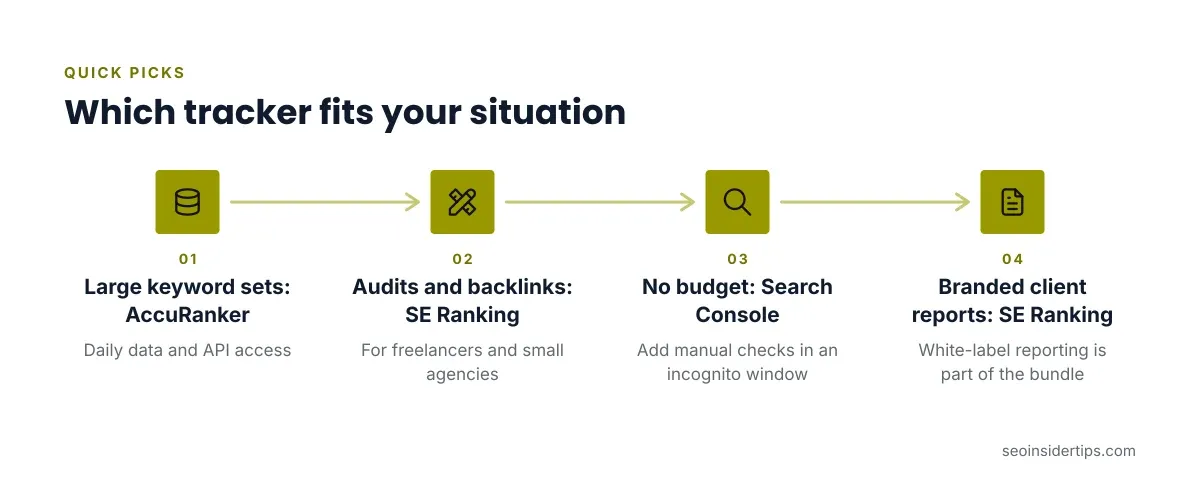
- Large keyword sets, daily data, API access: AccuRanker.
- Freelancers and small agencies who also need audits and backlink data: SE Ranking.
- Zero budget and low volume: Search Console, plus manual checks in an incognito window.
- Client reporting under your own brand: SE Ranking, because white-label reporting is part of the bundle.
The next sections explain each pick, and what each one is bad at.
AccuRanker: Built for Volume and Daily Updates
AccuRanker does one job and does it fast. It refreshes keyword positions daily on all plans.
Pricing starts at $224/mo (billed annually). The Professional plan is $224/mo billed annually, with a 10% annual discount against $249/mo billed monthly. The Expert plan is $764/mo billed annually. Professional includes Google Search Console and Google Analytics integrations, tagging, and advanced filtering. Expert adds AI CTR, AI Search Volume, a Google Data Studio connector, and an unlimited read API.
Tagging deserves attention. Group keywords by page type, funnel stage, or client, then filter by tag. That turns a 5,000-keyword list into something you can read.
Weak spots: There is no free trial. A third-party review reports a 14-day money-back guarantee, so confirm it on the vendor page before buying. It is also a tracker, not a full SEO suite. You will pay separately for audits and backlinks.
Not for you if: you track a few dozen keywords. You would pay for capacity you never touch.
SE Ranking: Tracking Inside a Wider Toolkit
SE Ranking bundles rank tracking with site audits, backlink analysis, and white-label reporting. That bundle is the reason to pick it.
The Core plan is $103.20/mo billed annually, or $129/mo billed monthly. It covers 2,000 keywords with daily checks across 10 projects. Growth is $223.20/mo billed annually, or $279/mo billed monthly. It raises the limit to 30 projects and 5,000 daily keyword checks, and adds historical data. Enterprise is custom.
A 14-day free trial runs on Core with no credit card required. That makes it the easier tool to test with your real keyword list. SE Ranking also tracks AI search visibility, including ChatGPT, Perplexity, and Google AI Overviews. Treat those numbers as directional, since AI answers vary between runs.
Weak spots: The tracking engine is not its only selling point, so large keyword sets will cost more than a dedicated tracker. Some features sit on higher tiers, so read the plan table before assuming access.
Not for you if: you already pay for an audit and backlink tool and only want clean rank data.
Comparing the Two Side by Side
| Factor | AccuRanker | SE Ranking |
|---|---|---|
| Entry price | $224/mo (billed annually) | $103.20/mo billed annually |
| Monthly billing | $249/mo billed | $129/mo billed monthly |
| Update frequency | Daily on all plans | Daily checks on Core |
| Free trial | None | 14 days on Core |
| Best fit | Agencies, in-house teams | Freelancers, small agencies |
| Extras | API, Data Studio connector (Expert) | Audits, backlinks, white-label reports |
The price gap is real, but the tools aim at different jobs. AccuRanker charges for tracking depth and integrations. SE Ranking charges for breadth.
If you are still deciding whether to pay at all, our comparison of free versus premium rank tracking options walks through that decision.
Features That Decide Whether Data Is Trustworthy
Most buyers compare keyword limits and ignore the settings that shape accuracy. Check these before you commit.
- Location precision. Can you set a city or postcode, or only a country? Local businesses need the finer option.
- Device split. Track mobile and desktop separately. Mobile results often differ, and a mobile rank tracker view matters when most of your traffic is on phones.
- Search engine and language. Match the engine and language your audience uses.
- SERP feature capture. Know whether featured snippets, local packs, and AI Overviews are recorded or ignored.
- Data export and API. If you build dashboards, confirm export formats and read limits.
During a trial, set up 20 keywords you already know the true position of. Compare the tool’s numbers against an incognito search from the same location. A tool that misses your known results will miss the unknown ones.
Daily Tracking: When It Helps and When It Misleads
Daily keyword rank tracking is useful during a migration, a major content update, or a Google core update. In those windows, a fast signal lets you catch a problem early.
Outside them, daily data is mostly noise. Positions bounce a few spots day to day for reasons unrelated to your work. If you react to every dip, you will change things that were fine.
My rule: read weekly averages for decisions, and keep daily data for incident review. Set a threshold before you look. A drop of one or two positions on one keyword is not a finding. A drop across a tagged group of pages is.
Daily capacity also costs money. If your plan counts daily checks against a keyword cap, weekly tracking for low-priority terms stretches the same budget further.
Setting Up a Tracker So Reports Mean Something
A bad setup produces clean charts of the wrong thing. Follow this sequence.
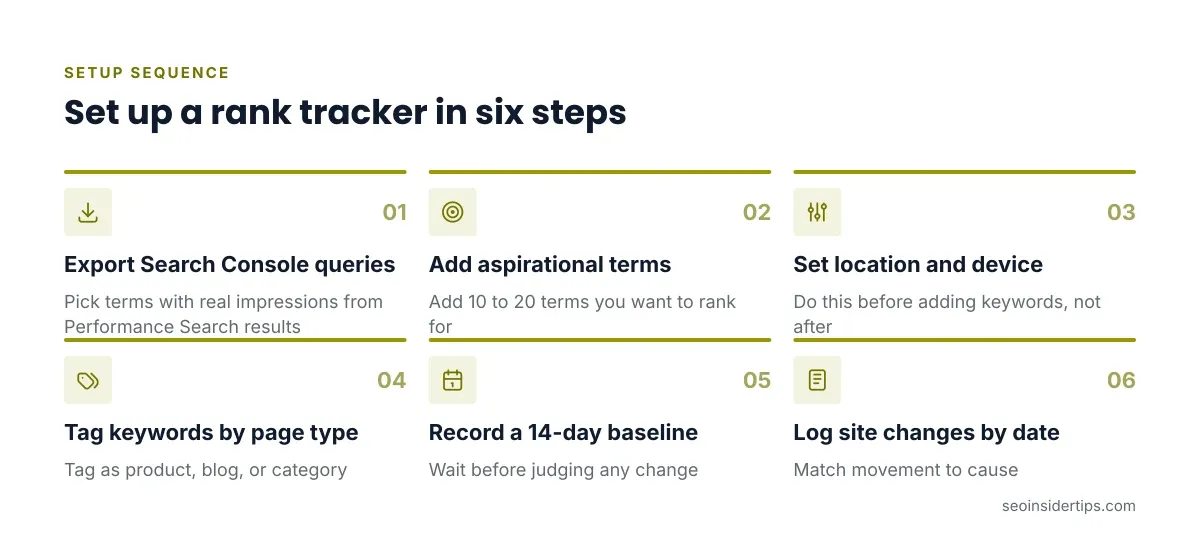
- Export queries from Search Console. Go to Performance > Search results > Export and pick terms with real impressions.
- Add 10 to 20 terms you want to rank for but currently don’t.
- Set location and device before adding keywords, not after.
- Tag every keyword by page type, such as product, blog, or category.
- Record a baseline for 14 days before judging any change.
- Note site changes in a dated log so you can match movement to cause.
The common mistake is tracking brand terms and counting them as wins. Your own name will rank first almost every time. Tag brand terms and exclude them from average-position math, or your overall average will look better than reality.
Choosing and Not Overpaying
Match the tool to the job, then size the plan to your keyword list, not your ambitions.
If you manage one site and a handful of clients, SE Ranking’s trial lets you test with real data before spending. If tracking volume and integrations drive your workflow, AccuRanker earns its price. If your budget is zero, Search Console plus a spreadsheet gets you further than most people expect.
Whatever you choose, run the known-keyword accuracy test first. Then give the baseline two weeks before drawing conclusions. Rank tracking tools show direction, not certainty. No tracker predicts traffic, and none should be trusted to explain a drop without your own investigation.
Pricing verified 2026-10-18. Check the vendor site for the latest.
Frequently asked questions
How many keywords should I track?
Start with the terms tied to pages that earn or could earn revenue. For most small sites that is 50 to 200 keywords. Add more only when you can act on the extra data.
Is Google Search Console enough for rank tracking?
For a small site, it can be. It shows average position from real impressions, but only for queries you already appear for. A paid tracker adds terms you want to rank for and gives repeatable positions by location and device.
Why does my tracker show a different rank than my own search?
Google personalizes results by location, history, and device. Trackers query from a set location without your history. Check in an incognito window from a matching location to see how close they sit.
Do rank tracking tools show AI Overview visibility?
Some do. SE Ranking lists AI search visibility tracking for ChatGPT, Perplexity, and Google AI Overviews. Because AI answers change between runs, use that data as a trend signal rather than an exact position.



Leave a Reply