Two trackers can report the same keyword at position 4 and position 9 on the same morning. Neither is necessarily broken. Each one is measuring a different version of Google’s results page, and that gap is the whole accuracy problem.
An accurate rank tracker is one whose numbers match what a real searcher in your target market sees, close enough to act on. Perfection is impossible, because Google personalizes and varies results constantly. This guide covers where the errors come from, how to test a tool before you pay, and which setups hold up best for agencies and site owners.
Why Two Trackers Disagree on the Same Keyword
Google does not have one ranking per keyword. It has thousands of slightly different pages, shaped by location, device, language, search history and the data center answering the request.

A tracker sends a query from its own servers, usually through proxies, and records where your URL appears. If its proxy sits in a different city than your customers, or it requests a desktop page when most of your traffic is mobile, the number drifts. Results also shift with live features: local packs, video carousels and AI Overviews push organic links down the page.
Disagreement is therefore normal. Your job is to find which tool’s setup mirrors your audience, then hold that setup constant so changes in the line mean real movement.
The Five Settings That Decide Accuracy
Most accuracy problems come from configuration, not the tool itself. Check these five before blaming the vendor.
- Location precision: country-level tracking is fine for national brands. Local businesses need city or ZIP-level targeting.
- Device type: track mobile and desktop as separate projects. Mobile results often differ by several positions.
- Search engine domain and language: google.co.uk and google.com return different rankings for the same phrase.
- SERP depth: tracking only the top 20 hides URLs ranking at 35 that are about to climb.
- Check frequency: weekly checks miss mid-week swings that daily checks catch.
Set all five deliberately when you create a project. Defaults are usually tuned for the vendor’s convenience, not your market. Changing a setting later breaks the historical comparison, so decide once and record the choice in your project notes.
Live Checks vs Cached Data: Where Numbers Go Stale
Some tools run a fresh query at the moment you ask. Others show the result from their last scheduled crawl, which may be hours or days old. Neither is wrong, but you should know which one you are looking at.
Cached data is cheaper for vendors, so lower plans often limit live checks or charge extra for them. A cheap plan that refreshes once a week will look stable even when your rankings moved on Tuesday. If you are diagnosing a sudden traffic drop, you want an on-demand refresh, not last Sunday’s snapshot.
A quick test: refresh a keyword in the tool, then immediately search it yourself in a private window with the same location. If the tool takes minutes to return and the result matches, it is probably running a real check. If it answers instantly with an old timestamp, you are reading cache.
Rank Trackers Compared by Accuracy Approach
No single tool wins everywhere. Here is where the common options fit and where they fall short. Confirm current pricing and limits on each vendor’s own pricing page before committing, since plans change often.
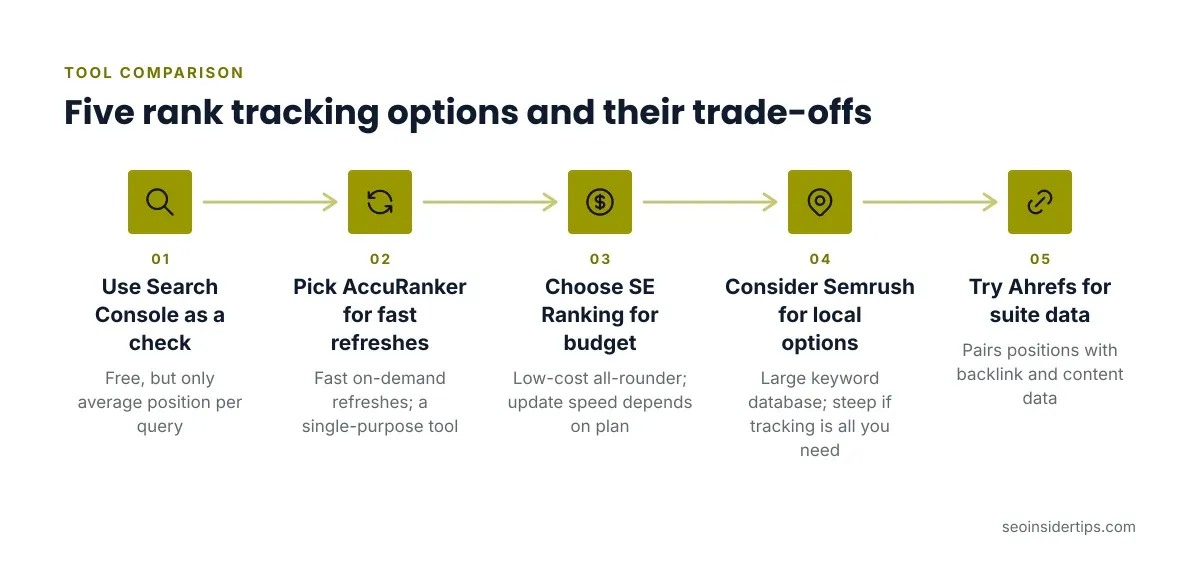
- Google Search Console: free, and the only source of what Google itself reports. It gives an average position per query, not a daily rank for one location, so it cannot replace a tracker. It is best used as a sanity check.
- AccuRanker: built around fast, on-demand refreshes and daily updates. Strong for agencies that need current numbers. Weakness: it does one job, so you will need other tools for audits and backlinks.
- SE Ranking: a lower-cost all-round platform with flexible location targeting and daily checks on higher tiers. Weakness: update frequency depends on plan level.
- Semrush: large keyword database and a Position Tracking tool with local and device options. Weakness: pricing is steep if rank tracking is all you need.
- Ahrefs: Rank Tracker sits inside a larger suite and pairs positions with backlink and content data. Weakness: tracked-keyword allowances are tied to plan tier, and updates may be slower on lower plans.
For a lighter, budget-focused look, our guide to free rank tracking tools versus premium paid alternatives covers where free options stop being reliable.
How to Test a Tracker Before You Pay
Do not trust a vendor’s accuracy claim. Run your own two-week trial using a short, controlled method.
Pick 15 to 20 keywords you already understand: a few branded, a few high-volume, a few local. Set location and device exactly as your audience would use them. Then check the same keywords by hand every other day in a private browser window, using Google’s location settings or a trusted local-search method, and log the positions in a spreadsheet.
Compare the tool to your manual log. A gap of one to three positions on competitive terms is normal noise. A consistent gap of eight or ten means the tool’s location or device setup does not match yours. Also note how quickly the tool reflects a change you caused, such as updating a title tag on a test page.
Most free trials run 14 days, which fits this test. Start the clock only after your project settings are final.
Daily Tracking: When It Helps and When It Wastes Money
Daily tracking sounds like the accurate choice, but more checks do not make each check more accurate. They just show more of the noise.
Daily data pays off in three cases: during a site migration, after a core update, or when you are testing changes on a handful of priority pages. In those windows, a drop caught on day two lets you investigate before it compounds.
For steady-state reporting, weekly checks with a smoothed trend line are usually enough, and they cost far less on plans billed per keyword update. A practical split is daily tracking for your top 20 money keywords and weekly for the long tail. That keeps the budget on the terms where speed changes your decisions.
Reading the Data Without Over-Reacting
A tracker gives you a number, not a verdict. Single-day moves of two or three places are usually Google testing layouts, not a penalty or a win.
Look at the trend over two to four weeks and compare against Search Console clicks for the same pages. If rank improved but clicks did not, a new SERP feature may be taking attention. If clicks fell while rank held, check whether an AI Overview now answers the query above your link.
Never report a ranking change to a client without pairing it to traffic or conversions. Rank is a diagnostic, not the goal. One common mistake is tracking a keyword that ranks with a different URL than the page you meant to optimize. Fix it by tagging the target URL in the tool and checking for ranking-page changes, since keyword cannibalization often shows up as a URL flipping back and forth.
A Practical Setup for Agencies and Small Sites
For a small agency, start with one paid tracker with reliable on-demand refresh, and keep Search Console connected as your cross-check. Group keywords by client, device and location from day one, and name the groups clearly so reports stay readable.
For a single-site owner with under 100 keywords, an affordable all-in-one platform usually beats a specialist tracker, because you also get audits and competitor data. If you run local campaigns, prioritize city-level targeting over everything else on the feature list.
Whatever you choose, document your settings, run the manual comparison once, and re-check it every quarter. Trackers drift as Google changes its results, and a thirty-minute audit catches that before a client does.
What to Take Away From All This
Accuracy comes from matching the tool’s settings to your searchers: the right city, the right device, the right Google domain. A pricier tool with the wrong location setting will mislead you more than a modest one configured well.
Test before you commit, use daily checks where decisions are time-sensitive, and treat every number as a trend rather than a fact. Pair rank with Search Console clicks so you are judging outcomes, not vanity positions.
No tracker will ever show you exactly what every user sees. The goal is a consistent, honest view close enough to act on, held steady long enough to see real movement.
Frequently asked questions
How accurate are rank trackers compared to Google Search Console?
They measure different things. A rank tracker records one position for a chosen location and device. Search Console reports an average position across all real searches, which blends many locations and devices. Expect them to differ, and use Search Console to confirm direction rather than exact numbers.
How often should I check keyword rankings?
Daily for your most important keywords or during migrations and updates. Weekly is enough for most other terms. More frequent checks add cost and noise without changing decisions for stable pages.
Why does my rank tracker show different results than my own search?
Your own search is personalized by history, location and device. Trackers use clean, fixed settings. Search in a private window with matching location and device to compare fairly, and expect small gaps.
Do I need a separate mobile rank tracker?
Yes, if mobile drives meaningful traffic. Mobile and desktop results often differ, so track them as separate projects rather than relying on one blended number.
Can a free rank tracker be accurate enough?
For a handful of keywords at country level, sometimes. Free tools usually limit location detail, refresh frequency and keyword counts, which are the exact factors that drive accuracy for local or competitive work.



Leave a Reply