Is a mobile rank tracker just a desktop tool with a phone icon? Not quite. Google ranks mobile and desktop results separately, and the gap between them can be large.
Google uses the mobile version of your pages for indexing and ranking. If your tracker only checks desktop positions, you may report a rank your mobile visitors never see. This guide covers what a mobile rank tracker measures, which options fit which buyer, and where each one falls short.
What a mobile rank tracker actually measures
A mobile rank tracker queries Google as a smartphone user would. It sends a mobile user agent, a mobile screen profile, and a chosen location, then records where your URL appears.
That differs from checking your phone by hand. Manual checks are personalized by your search history, your location, and your signed-in account. A tracker strips most of that out and gives you a repeatable baseline.
Two limits matter. A tracker shows ranking for one fixed setup, not for every user. And it can’t see why a position moved. Pair it with Google Search Console’s Performance report, which filters by device and shows the average position real users saw.
Mobile and desktop rankings differ more than you expect
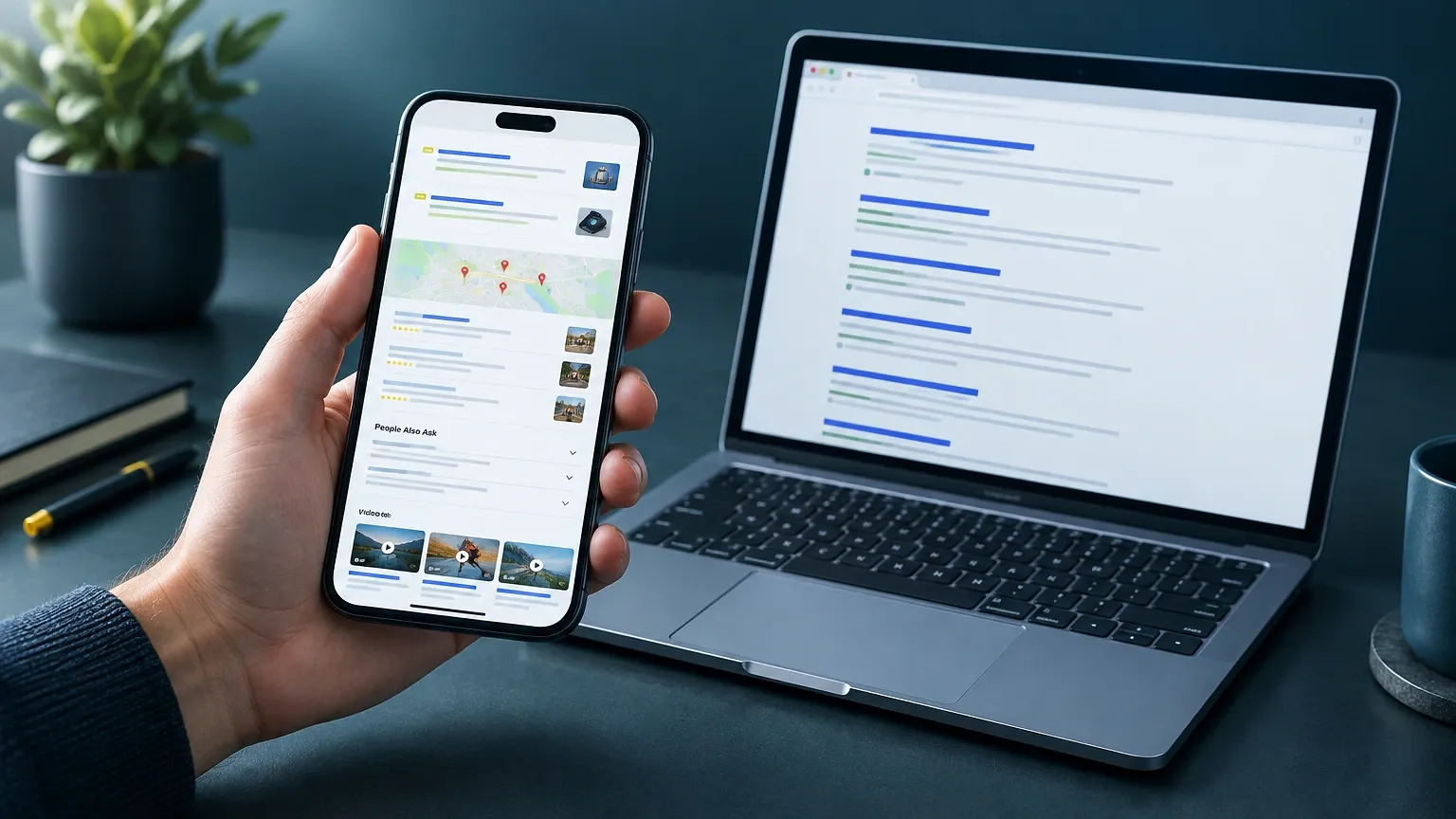
Layout drives most of the gap. Mobile results push organic links down with ads, local packs, People Also Ask boxes, and video carousels. A page in position 3 on desktop can sit below the fold on a phone.
Page experience adds more. A slow mobile page, an intrusive interstitial, or content hidden on small screens can pull rankings down on mobile alone. Google’s mobile-first indexing documentation says content missing from the mobile version may not be indexed at all.
Local queries show the biggest swings. Someone searching “plumber near me” on a phone triggers different results than a desktop user three streets away. If your business serves local customers, mobile tracking is the primary view, not a secondary one.
What to look for before you buy
Criteria matter more than brand names. Here is the list I use when judging a tool:
- Separate mobile data. The tool must store mobile positions independently, not label desktop data as mobile.
- Location targeting. City or postcode level, not just country. Country-level data hides local-pack movement.
- Update frequency. Daily checks suit volatile terms. Weekly is enough for stable, informational pages.
- SERP feature tracking. You want to know if a featured snippet or local pack took your spot.
- Keyword limits and pricing model. Some tools bill per keyword, others per project or per check.
- Exports and reporting. Agencies need white-label PDFs or a data export.
Weight these against your actual work. A solo site owner tracking 50 keywords has different needs than an agency tracking 2,000. For a wider look at budget options, see this comparison of free and paid rank tracking tools.
Mobile rank tracker options compared
Here are the quick picks, based on who each tool suits best:
- Google Search Console: free, real-user data, but averaged and not keyword-by-keyword on demand.
- SE Ranking: a balanced all-rounder for small teams.
- AccuRanker: fast, frequent checks for larger keyword sets.
- Advanced Web Ranking: heavy reporting for agencies.
- Semrush Position Tracking: best if you already use Semrush.
Treat this as a shortlist, not a ranking. Each fits a different workflow, and plan details change often. I haven’t listed prices because vendors revise them, so check the current pricing page before you commit.
Google Search Console
It is the only source of real mobile impressions and clicks. Open Performance > Search results > + New > Device > Mobile to isolate phone traffic. It costs nothing.
Its weakness is the data model. Positions are averaged across all queries and locations, and you can’t schedule a clean daily check for one keyword. It tells you what happened, not what a fixed test search shows today.
Paid trackers
Paid tools give you the repeatable, keyword-level checks that Search Console doesn’t. The trade-off is cost and a sampling approach: they show one simulated user, not your whole audience. Use them as a trend line, and validate big moves against Search Console.
SE Ranking, AccuRanker and Semrush: who each one fits
SE Ranking suits small agencies and in-house marketers. It tracks mobile and desktop separately, supports location targeting, and bundles reporting. Its weakness is depth: very large keyword sets can feel slower to manage than in a dedicated tracker.
AccuRanker is built for speed and volume. It refreshes rankings on demand and handles big keyword lists well. It does one job, tracking, so you’ll need other tools for audits and research. That focus is a strength if you already own those.
Semrush Position Tracking makes sense when you already pay for the wider suite. The tracking itself is solid, with device and location settings. If tracking is all you need, you may be paying for features you never open. Verify the keyword limits on your plan before assuming they’ll cover your list.
None of these is the right pick for a hobby blogger with 15 keywords. For that case, Search Console plus a free tier covers the need.
How to set up mobile tracking correctly
Most bad data comes from setup mistakes, not tool flaws. Follow this order:
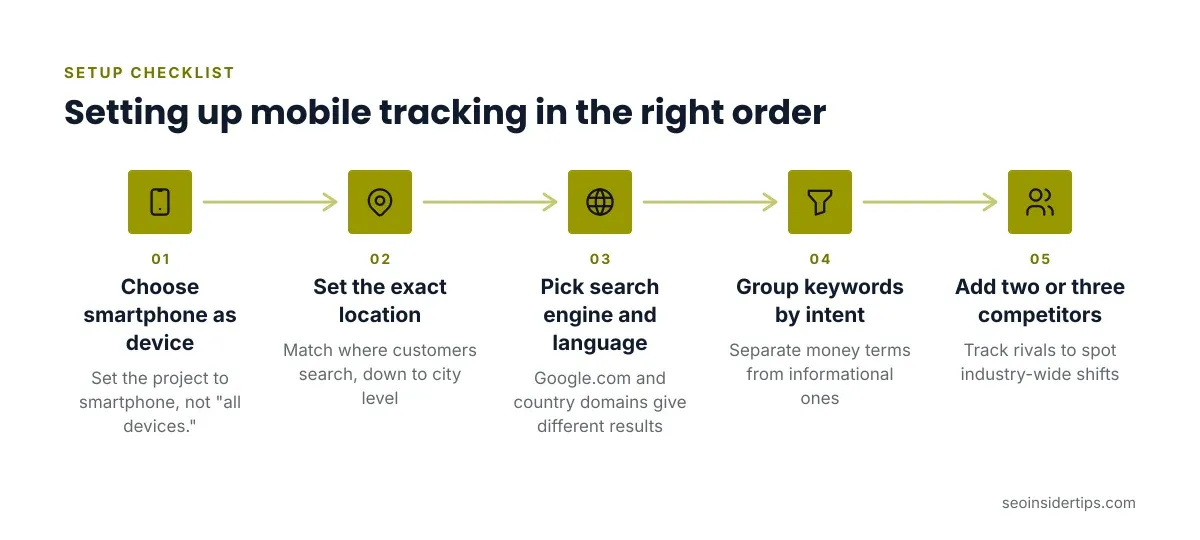
- Choose the device first. Set the project to smartphone, not “all devices.”
- Set the exact location. Match where your customers search, down to city level for local businesses.
- Pick the right search engine and language. Google.com versus a country domain gives different results.
- Group keywords by intent. Separate money terms from informational ones so trends stay readable.
- Add competitors. Track two or three rivals to spot industry-wide shifts.
A common mistake is mixing mobile and desktop keywords in one project, which muddies every chart. Create two projects instead. Another is tracking too many low-value terms, which inflates cost without improving decisions.
Reading the data without fooling yourself
Rankings fluctuate daily, so react to trends, not single readings. A drop of two positions overnight often reverses within days. Wait for a week of consistent movement before changing anything.
Compare the tracker against Search Console. If your tracker shows a keyword at position 5 but Search Console reports an average near 12, the difference usually comes from location, personalization, or query variations. Neither is wrong; they measure different things.
Watch SERP features too. If your rank holds steady but clicks fall, a new snippet or local pack may be absorbing the traffic. A position number alone can’t show that, which is why feature tracking earns a place in your criteria list.
A practical way to choose and start
Start with the free option. Open Search Console, filter to mobile, and note your top ten pages by clicks. That gives you a real baseline before you spend anything.
Then ask whether you need keyword-level daily checks. If your income depends on a handful of competitive terms, or you manage client sites, a paid tracker pays off through faster feedback. If rankings change slowly and you review monthly, the free route is often enough.
Be honest about what a tracker can’t do. It won’t improve your rankings, and it won’t tell you what to fix. It reports a position. The work happens in your content, your page speed, and how well your mobile pages answer the query. Pick the lightest tool that supports a decision you’ll actually make, and revisit the choice once your keyword list grows.
Frequently asked questions
Does a mobile rank tracker show different results from desktop?
Yes. Google ranks mobile and desktop separately, and SERP layout differs on phones. A decent tracker stores both so you can compare them side by side.
Is Google Search Console enough for mobile rank tracking?
It’s enough for many small sites. It shows real mobile impressions and average position, filterable by device. It can’t run scheduled, keyword-specific checks, which is where paid trackers help.
How often should I check mobile rankings?
Daily suits competitive or volatile keywords. Weekly is fine for stable informational pages. Judge trends over a week or more rather than reacting to one day’s movement.
Do I need location-specific tracking?
If you serve a local area, yes. Local packs and “near me” results change by city. Country-level tracking hides those shifts.



Leave a Reply