Is a keyword rank tracking report really showing where you rank? Not exactly. It shows a sample of where one search, from one place and one device, put you at one moment.
That gap explains most of the arguments about ranking data. Once you know what a tracker measures, you can read its numbers with the right level of trust and avoid chasing noise.
What Keyword Rank Tracking Actually Measures
A rank tracker sends a query to a search engine from a chosen location and device. It records the position of your URL in the results and stores the number against that date. Repeat it daily and you get a trend line.
Google does not publish one true ranking per keyword. Results shift by location, language, device, search history and which features appear on the page. Google’s own documentation says the Search Console position is an average across impressions, not a fixed spot.
A tracker gives you a controlled snapshot. A Search Console report gives you real averages from real searchers. They answer different questions, and each fills a hole in the other.
Why Your Tracker and Google Never Agree
Open a tracker next to the Performance report in Google Search Console and the numbers will differ. That is normal. Three causes explain most gaps.
First, location. A tracker queries from a set city or country. Your real visitors search from everywhere. A local business can rank third in its own town and far lower two cities away.
Second, personalisation and features. A tracker usually reads the clean result page. A real searcher may see a map pack, a video carousel or an AI Overview that pushes the blue links down. Your “position 4” may sit below the fold.
Third, averaging. Search Console averages every impression, including ones where your page was barely visible. A page can show an average position of 9 while ranking first for one query and thirtieth for another.
Treat the tracker as a thermometer you read the same way every day. The absolute reading matters less than the direction of change.
The Settings That Make Tracked Data Usable
Most bad rank data comes from setup, not the tool. Check these before you add a single keyword.
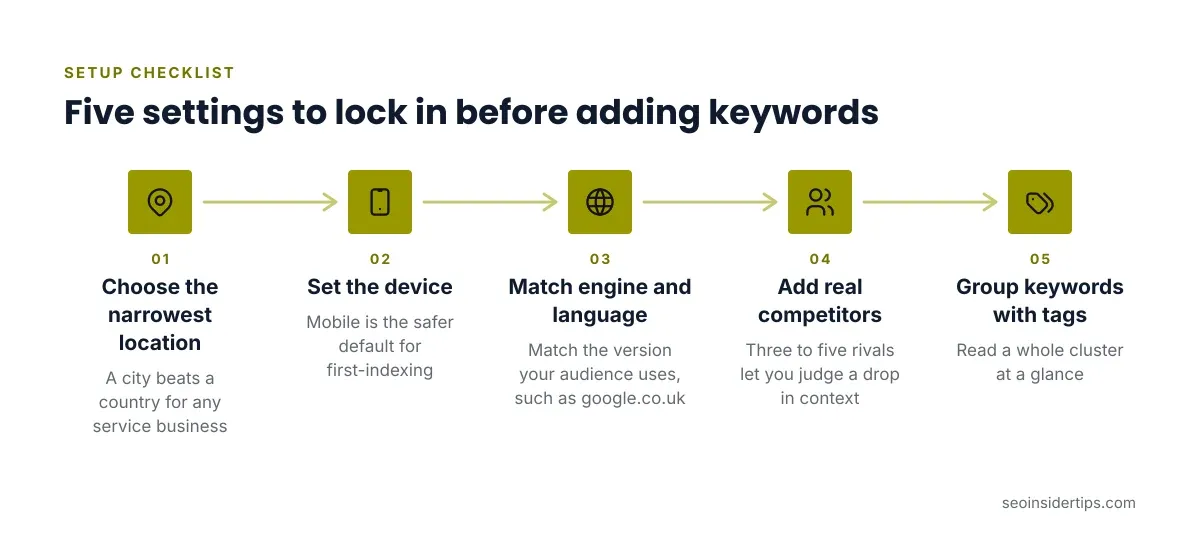
- Location. Choose the narrowest area your customers live in. A city beats a country for any service business.
- Device. Track mobile and desktop as separate projects when the gap matters. Google indexes the mobile version of your pages first, so mobile is the safer default.
- Search engine and language. Match the version your audience uses, such as google.co.uk with English (UK).
- Competitors. Add three to five real rivals so a drop can be judged against the field, not in isolation.
- Tags. Group keywords by page type or funnel stage so you can read a cluster at a glance.
A common mistake is tracking one national position for a keyword that is clearly local. The report looks tidy and tells you nothing useful. Fix it by re-adding the keyword with a city set.
Choosing a Keyword Rank Tracking Tool
The market splits into three types. The right one depends on how many keywords you watch and how often you need fresh data.
Suite tools bundle tracking with research and audits. Semrush Position Tracking comes with a Semrush subscription, starting at $139.95 a month on the Pro plan. It suits teams that already pay for the rest of the suite. Its weak point is cost if tracking is all you need.
Dedicated trackers such as AccuRanker and Advanced Web Ranking focus on speed, large keyword volumes and reporting. They cost less than a full suite for heavy tracking but add no research tools.
Free options include Google Search Console and the limited free tiers of paid tools. Search Console is accurate but gives averages and no competitor view. Free tiers cap keywords and refresh rates, so check each vendor’s current page before relying on one.
Our guide to free rank tracking tools against premium alternatives compares the trade-offs in more detail.
Daily Rank Tracking vs Weekly Checks
More frequent data sounds better. It often isn’t.
Daily checks help in three cases: a site migration, a Google core update, or a launch where you need early warning. Rankings can swing a few places between days for no real reason. Reacting to every swing wastes time and leads to bad edits.
Weekly tracking smooths that noise and costs less on tools that bill by refresh. For most small sites it is enough. Raise the frequency only for the keywords that drive revenue, and keep the long tail on a slower schedule.
One rule saves a lot of panic: never judge a change on fewer than seven days of data. A page that moves from 6 to 9 and back in a week has not been penalised. It has been measured twice.
Reading Rank Changes Without Overreacting
A drop is a question, not a verdict. Work through it in order before you touch the page.
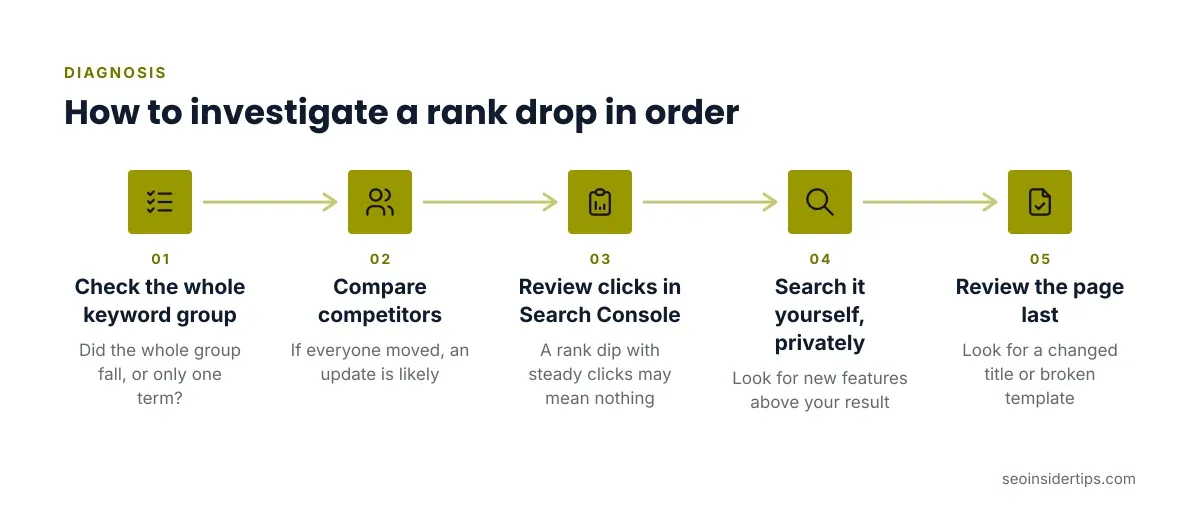
- Check whether the whole keyword group fell or only one term.
- Compare competitors in the same tool. If everyone moved, the cause is likely an update or a new result type.
- Open Search Console and look at clicks and impressions for the page. A rank dip with steady clicks may mean nothing.
- Search the keyword yourself in a private window and look for new features above your result.
- Only then review the page for real problems, such as a changed title or a broken template.
Rank is a means, not the goal. A page that holds position 8 but earns more clicks because of a better title has improved. Judge success on traffic and conversions, and use position to explain why they moved.
Mobile and Local Rank Tracking
Mobile results often differ from desktop, especially for local intent. A mobile rank tracker queries as a phone would and reports that view. If most of your audience searches on phones, this is your main report.
Local tracking goes further. Some tools use a grid of points around a business address and plot where it appears in map results. Map pack rankings change block by block, so a single city-level number hides the real picture.
Set up mobile and local tracking for any keyword where a person is likely to say “near me.” For a purely informational blog, a country-level desktop and mobile pair is usually enough.
Mistakes That Skew Your Ranking Data
These errors show up again and again on real accounts.
- Tracking too many keywords. Hundreds of low-value terms bury the few that matter. Start with 20 to 50 tied to real pages.
- Ignoring SERP features. A position number alone hides a snippet or carousel taking the click.
- Comparing tools directly. Each uses its own data source and timing. Pick one as your record and stay with it.
- Changing settings mid-stream. Switching location or device breaks the trend line. Start a new project instead.
- Chasing the average. A blended position across unrelated queries means little. Read it per keyword.
If you run several client sites, keyword tracking software built for small agencies adds white-label reports and multi-project views that save real hours.
Putting Rank Tracking to Work
Good tracking is quiet and consistent. You set the location and device once, pick a sensible keyword list, and read the same report on the same day each week. The value comes from trends over weeks, not from any single reading.
Pair the tracker with Search Console. The tracker tells you where a page sits in a controlled view. Search Console tells you what real searchers did. When both point the same way, act on it. When they disagree, trust clicks and conversions over position.
Keep the list lean and the reporting simple. A tracker that three people actually read beats an expensive one nobody opens. Review the keyword list each quarter, remove terms that no longer matter, and add new ones as pages are published.
Frequently asked questions
How often should I check keyword rankings?
Weekly is enough for most sites. Check daily only during a migration, a launch or a major Google update. Day-to-day movement is mostly noise, so wait for a seven-day trend before acting.
Is Google Search Console enough for rank tracking?
It is enough for many small sites. It reports real average positions, clicks and impressions for free. It lacks competitor tracking, location-specific checks and daily snapshots, so add a dedicated tool when you need those.
Why does my rank differ between tools?
Each tool queries from its own location, device setting and timing, and may use a different data source. Small gaps are normal. Pick one tool as your record and compare it only against itself over time.
How many keywords should I track?
Start with 20 to 50 that map to real pages and real business goals. Tracking hundreds of weak terms makes reports harder to read and raises cost on tools that bill by keyword.
Can rank tracking predict traffic?
Not reliably. Position hints at likely traffic, but click rates vary with titles, snippets and search features. Use rank to explain changes in clicks, and use Search Console for the actual traffic figures.




Leave a Reply