
You type a head term into a keyword tool, and the difficulty score laughs at you. KD 68. Volume 40,000. Every top result is a brand with a decade of backlinks. That’s the moment most people give up on keyword research entirely, instead of fixing the actual problem: they’re hunting short-tail phrases with a long-tail budget.
Long tail keywords for SEO exist precisely for this situation. They’re longer, more specific phrases with lower volume but far less competition, and they’re where new and mid-sized sites actually win rankings. This article walks through the free tools that find them, how to judge what they show you, and when a low-difficulty keyword is a trap instead of a win. If you want the deeper case for why this works so well for newer domains, long tail keywords are covered in more detail there.
How to Find Long Tail Keywords Without Guessing
Start with a seed term, not a guess. Pick the broad topic your page covers, like “espresso machine,” and let tools expand it into real search phrases people type.
Google’s own autocomplete and “People also ask” boxes are the fastest free source. Type your seed into the search bar, watch the dropdown suggestions, then open two or three results and scroll to the “People also ask” accordion. Click a few questions open. Google loads fresh ones each time, and you can usually pull 15 to 20 related phrases from a single search in under five minutes.
Google Search Console is the second stop, and it’s the one most people skip. Go to Performance > Search Results, filter by a specific page, and sort queries by impressions. You’re looking for phrases where your page already ranks on page 2 or 3 with decent impressions but low clicks. That’s a long-tail opportunity Google already associates with your content. A page with 7,000+ impressions and an average position in the high teens, for example, usually has two or three queries sitting just outside page one. Those are cheaper wins than anything a keyword tool will suggest cold, because you’re already halfway there.
The mistake here is treating autocomplete suggestions as validated keywords. They’re not. Autocomplete reflects query popularity trends, not confirmed monthly search volume. Cross-check anything promising against an actual volume tool before building a page around it.
Long Tail vs Short Tail: What Actually Changes
Short tail and long tail aren’t just about word count. They’re a trade-off between reach and winnability, and conflating them is why beginners chase the wrong terms.
A short tail term like “coffee maker” might show 60,000 monthly searches with a KD near 70 on most tools. A long tail version, “best coffee maker for small apartment under $100,” might show 90 searches with a KD under 10. The short tail term carries ambiguous intent, someone searching it could want reviews, a specific brand, or troubleshooting help. The long tail version tells you exactly what the searcher wants and roughly what they’ll pay.
That specificity is the real advantage, not just the lower difficulty score. A site with three published articles and zero referring domains has almost no shot at page one for “coffee maker.” It has a realistic shot at the apartment-sized, budget-capped version within a few months of decent on-page work. Volume per keyword drops, but you’re stacking dozens of these phrases, and compounding traffic across them often beats chasing one unreachable head term for a year.
Checking Keyword Difficulty the Right Way
A difficulty score alone tells you almost nothing. You need to see what’s actually ranking.
Treat KD as a starting filter, not a verdict. Open the top three or four results for your candidate keyword and look at domain strength, content depth, and whether they’re actually answering the specific query or just broadly adjacent to it. If three of the top four results are thin, outdated, or answering a slightly different question, a KD of 20 to 30 is genuinely winnable even for a newer site. If the top four are all domain-strong publishers with comprehensive content, walk away regardless of what the score says.
Check search intent before difficulty. A query like “how to clean espresso machine” wants a how-to guide. If the current top results are all product listicles, that’s a content gap you can exploit, but it also might mean the tool mislabeled the keyword’s true intent. Match your content format to what’s actually ranking, not what you assume the phrase means.
Keyword Volume and Difficulty Differ Between Tools: Here’s Why
This trips up more people than it should. Run the exact same phrase through three tools and you’ll get three different volume numbers and three different difficulty scores.
That’s not a bug. Each tool pulls from different data sources and uses its own proprietary difficulty formula. Ahrefs’ KD estimates based on referring domains to ranking pages. Other tools blend in content quality signals, SERP features, or clickstream data differently. Google’s own Keyword Planner, when accessed through a Google Ads account, reports broad volume ranges rather than precise monthly figures unless you’re running active campaigns, and its numbers are built for ad targeting, not organic competition.
The practical fix: pick one tool as your primary reference and use it consistently so your difficulty judgments stay comparable across your own keyword list. Use a second tool only to sanity-check anything borderline, not to average the two scores together. Averaging two incompatible scoring systems just produces a third number with no real meaning behind it.
Generator Tools for Long Tail Keyword Discovery
Generator tools automate the seed-expansion step instead of you manually typing variations into a search bar all afternoon.
Ubersuggest offers a free tier with limited daily searches, plus paid plans starting at $12/month for the Individual tier, $20/month for Business, and $40/month for Enterprise/Agency. The free tier is enough to test a handful of seed terms and see keyword suggestions, estimated volume, and an SEO difficulty score side by side. Enter your seed, and it returns a list organized by related terms, questions, and prepositions (“coffee maker for,” “coffee maker without,” etc.), which is one of the faster ways to surface genuine long-tail phrasing.
AnswerThePublic works off a similar question-and-preposition model and visualizes results in a wheel, though its free daily search limit is stingier than Ubersuggest’s. Google Trends, also free, won’t give you volume numbers, but it’s useful for checking whether a phrase is rising, flat, or declining before you commit an article to it. None of these replace a dedicated SEO tool for your core difficulty check, but stacking two or three generators against the same seed term usually surfaces non-overlapping suggestions worth combining into one list.
Option A: Free Generator Stack (Ubersuggest + Google Search Console + AnswerThePublic)
This combination costs nothing and covers both discovery and validation. Ubersuggest and AnswerThePublic generate the raw phrase list; Google Search Console tells you which related queries your site already has traction on. The limitation is volume: free-tier daily search caps mean you can’t batch-process fifty seed terms in one sitting, and you’ll hit the ceiling fast if you’re doing research for multiple client sites in the same day.
Option B: Paid Suite (Ahrefs, Semrush, or Ubersuggest’s paid tiers)
Paid tools remove the daily cap and typically add historical volume trends, click-through-rate estimates by position, and bulk export. Ahrefs and Semrush both price per seat with tiered plans; check current pricing on their sites since it changes. The upgrade matters most once you’re managing keyword research across several sites or producing content at volume, where manual free-tier workflows become the bottleneck rather than the data itself.
For more detail, see find niche keywords.
Long Tail Pro Alternatives Worth Testing
Long Tail Pro built its reputation years ago as a dedicated long-tail discovery tool, but it’s no longer the only, or necessarily the cheapest, option for this specific job.
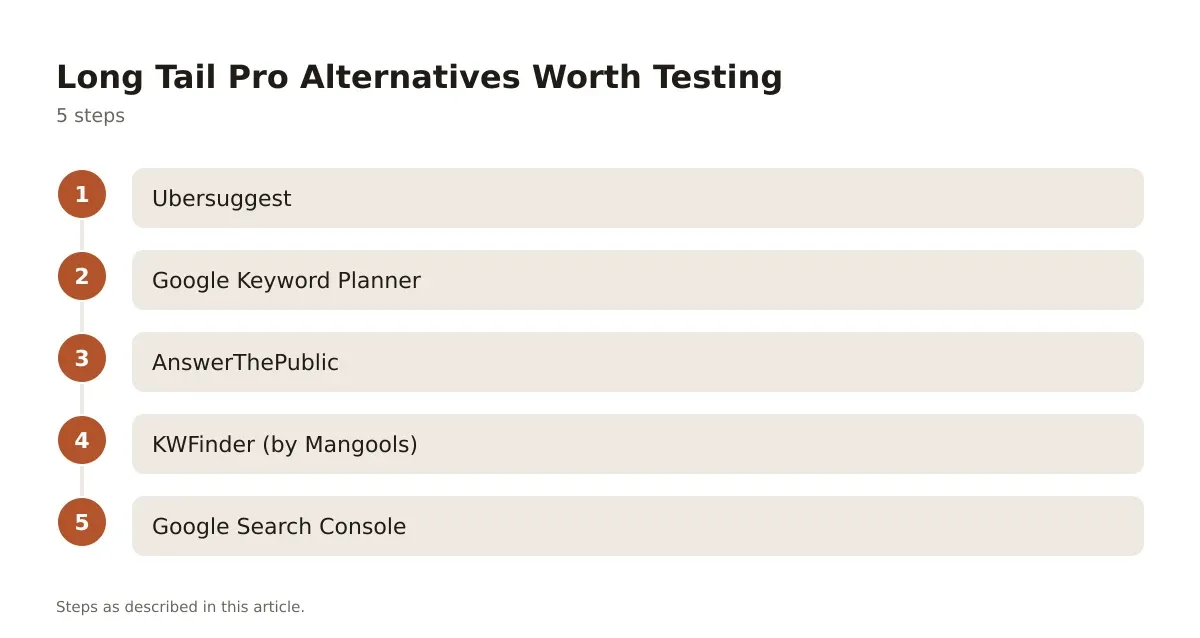
- Ubersuggest – covers keyword suggestions, SERP analysis, and content ideas in one free-to-start tool, with paid tiers for higher volume research.
- Google Keyword Planner – free with a Google Ads account; strongest for checking broad volume ranges and seasonal patterns, weaker for precise difficulty scoring.
- AnswerThePublic – best for surfacing question-based and preposition-based long-tail variants fast, with a limited free daily allowance.
- KWFinder (by Mangools) – built specifically around long-tail, lower-competition discovery with a visual difficulty gauge; paid plans apply after a limited trial.
- Google Search Console – not a discovery tool by design, but the most honest source of long-tail queries your own site is already being shown for.
If you’re comparing two of these head to head for a long-term workflow decision, the detailed breakdown of Ubersuggest vs. KWFinder covers feature and pricing differences worth reading before you commit to one as your daily driver.
Worked Example: From Seed to Published Keyword
Say your seed term is “meal prep containers.” Broad, high volume, and dominated by big retailers on page one. Not a fight worth having yet.

Run it through Ubersuggest and you get suggestions like “meal prep containers for keto diet” and “glass meal prep containers microwave safe.” Check Google autocomplete on the same seed and you’ll likely surface “meal prep containers that don’t leak” as a real, frequently typed query. Pull up Google Search Console on an existing meal-prep article, if you have one, and filter by impressions; you might find your site already shows for “meal prep containers for weight loss” at position 22, with decent impressions and near-zero clicks.
That last one is your best target. It’s already indexed and associated with your content, it has validated search demand because Google is showing it to real users, and position 22 means a focused content update, better title tag, and a few supporting internal links could realistically push it into the top 10 within a normal crawl and reindex cycle. Compare that to building a brand-new page around “glass meal prep containers microwave safe” from zero existing signal. Both are legitimate long-tail targets, but the GSC-sourced one carries less risk because you’re not starting from nothing.
Common Mistakes When Judging Long Tail Opportunities
The biggest one is chasing a zero-competition keyword that also has zero demand. A KD of 1 means nothing if monthly search volume rounds to zero too; you’ve found an easy keyword nobody is typing.
The second mistake is ignoring intent mismatch. A keyword might show promising volume and low difficulty, but if the people searching it want a product page and you’re building an informational blog post, you won’t rank no matter how well-optimized the content is. Google’s own creating helpful, reliable, people-first content guidance is explicit that content needs to match what searchers are actually trying to accomplish, not just contain the right words.
The third is skipping the SERP check entirely and trusting the difficulty number on faith. Tools estimate; they don’t know your site’s specific authority relative to what’s currently ranking. A KD of 15 against four weak, outdated competitors is a different bet than a KD of 15 against four recently updated pages from established sites in your niche.
The fix for all three is the same five-minute habit: check real search volume, check real SERP intent, and read the actual top four results before you commit writing time to a keyword. It’s slower than trusting a single score, but it’s the difference between content that ranks in a normal crawl cycle and content that sits on page four indefinitely.
Building a Repeatable Long Tail Keyword Workflow
None of these tools matter much in isolation. The value comes from running the same sequence every time so your judgment gets sharper with each batch of keywords, instead of starting from scratch on every project.
A workable routine: pull seed terms from your site’s existing topic clusters, expand each seed through one free generator, cross-check volume and difficulty against Google Search Console data where you have an existing page, and reject anything with ambiguous intent before it reaches your content calendar. If you’re building out a brand-new site section rather than expanding an existing one, the process for finding niche keywords from scratch follows the same logic, just without the Search Console data to lean on early.
Keep a running spreadsheet of keyword, volume, difficulty, intent, and status. It sounds basic, but most of the wasted effort in keyword research comes from re-researching the same seed terms every few months because nobody wrote down what was already checked.
Making Long Tail Keywords Work for Your Content Plan
Long tail keywords for SEO aren’t a consolation prize for sites that can’t compete on head terms. They’re a legitimate strategy that compounds, dozens of narrow, well-matched pages often out-earn one broad page chasing a term your domain has no business ranking for yet.
The tools matter less than the judgment you apply to them. Volume and difficulty numbers vary by source, SERP intent shifts over time, and a keyword that looked dead last quarter might be climbing now. Check the actual search results, lean on Google Search Console for queries your site is already partially earning, and resist publishing against a keyword just because the difficulty score looked tempting.
Run this process consistently across a handful of pages and you’ll start to see which long-tail clusters respond fastest for your specific site, since every domain’s authority profile rewards slightly different keyword bands.
Frequently asked questions
What counts as a long tail keyword?
Generally, a phrase with four or more words and lower individual search volume than a head term, though the real test is specificity rather than word count. “Running shoes” is short tail; “running shoes for flat feet marathon training” is long tail because the intent is narrow and the competition pool is smaller.
Is a free tool enough, or do I need Ahrefs or Semrush?
Free tools like Ubersuggest’s free tier, Google Search Console, and Google autocomplete cover discovery and basic validation for most small sites. Paid tools earn their cost once you need bulk keyword exports, historical trend data, or research volume that free daily caps can’t support.
Why do two keyword tools show different difficulty scores for the same phrase?
Each tool uses its own data source and proprietary formula, so referring domain counts, content quality signals, and SERP feature weighting all vary. Pick one tool as your baseline for consistent comparisons, and treat a second tool’s score as a sanity check rather than an average to split.
How do I know if a low-difficulty keyword actually has search demand?
Check that the volume estimate isn’t rounding down to near-zero, and confirm with a second source like Google autocomplete or Search Console impressions if you have related content already live. A keyword with KD 1 and 10 monthly searches isn’t a win; it’s just an empty field nobody’s searching.




Leave a Reply